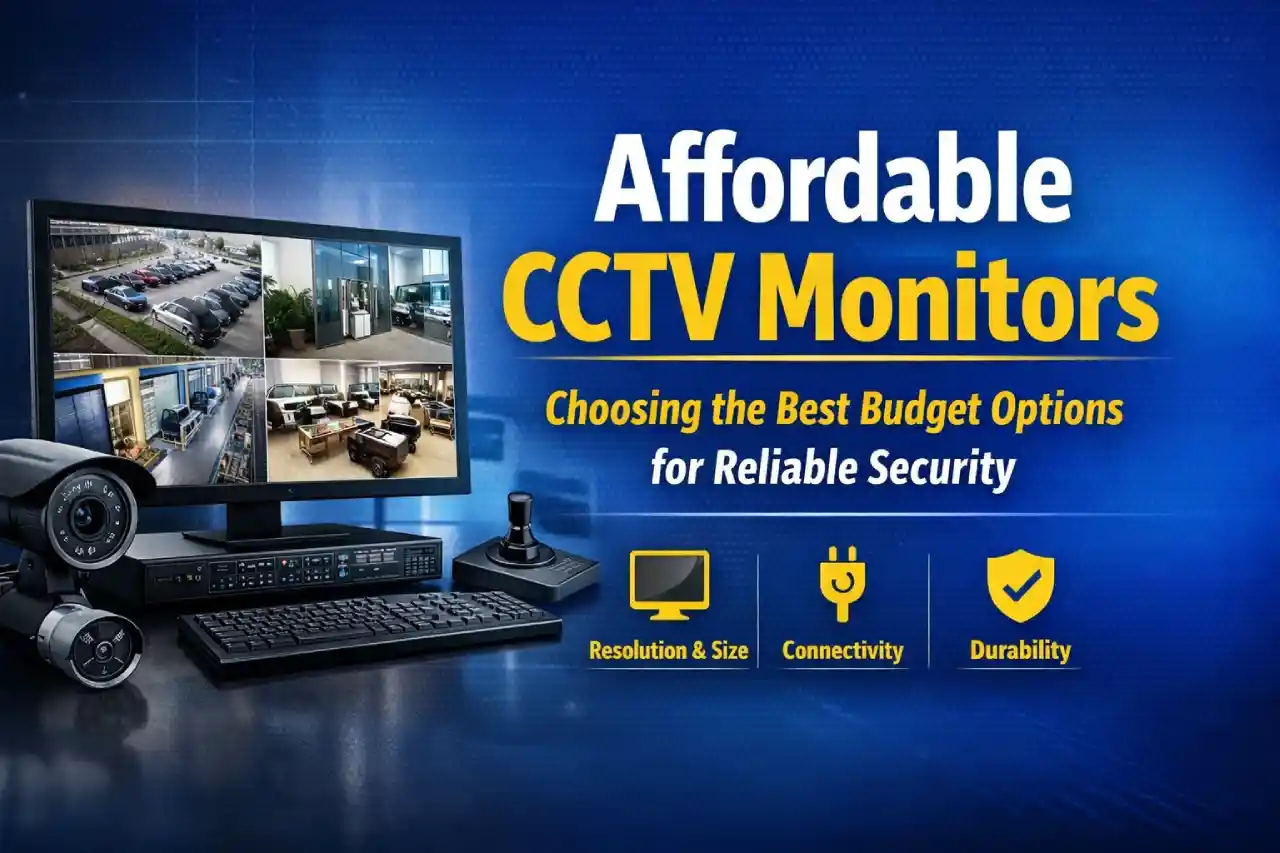
When setting up a CCTV security system, most people invest time and money into selecting the right cameras, storage devices, and software. However, one critical component often gets overlooked, the monitor.
A CCTV monitor is not just a screen. It is the interface through which you interpret your entire security system. Whether you are protecting a home, office, warehouse, or retail store, the quality of your monitor directly impacts how effectively you can monitor and respond to events.
The good news is that you do not need a premium budget to get a high performing CCTV monitor. Today, affordable options provide excellent clarity, durability, and efficiency, making them suitable for both small and large setups.
This guide will walk you through everything you need to know, based on real world usage, practical considerations, and industry best practices.
Understanding CCTV Monitors More Than Just a Screen
At first glance, a CCTV monitor may look like a regular computer display or television. However, there are important differences that make it better suited for surveillance.
Unlike standard screens, CCTV monitors are designed for:
- Continuous operation for long hours
- Stable performance without overheating
- Compatibility with DVR and NVR systems
- Consistent image quality over time
In real world scenarios, especially in businesses that require round the clock monitoring, using a regular monitor or television often leads to overheating, reduced lifespan, or inconsistent display quality. CCTV monitors are built to avoid these issues.
Why the Monitor Plays a Critical Role in Security
From practical experience in installations, one of the most common mistakes is underestimating the importance of display quality.
Even if you have high resolution cameras installed, a low quality monitor can:
- Blur fine details like faces or number plates
- Reduce visibility in low light footage
- Make it harder to track movement across multiple cameras
A good monitor ensures:
- Clear live viewing
- Accurate playback of recorded footage
- Better decision making during security incidents
In simple terms, your monitor is where surveillance becomes actionable.
Key Features to Consider in Affordable CCTV Monitors
Choosing a budget friendly monitor does not mean sacrificing essential features. It simply means focusing on what truly matters.
1. Resolution and Clarity
Resolution determines how sharp your footage appears. For most setups:
- Full HD resolution is the minimum recommended
- Higher resolution provides better detail if your budget allows
If your cameras support higher resolution, using a low resolution monitor will limit their effectiveness.
2. Screen Size and Viewing Comfort
The right screen size depends on how many cameras you monitor and the viewing distance.
- 19 to 22 inches is suitable for small setups
- 23 to 27 inches is ideal for offices and shops
- 32 inches or more is best for control rooms and large operations
A larger screen makes it easier to monitor multiple feeds without straining your eyes.
3. Connectivity Options
Compatibility is essential. Your monitor should support:
- HDMI for modern systems
- VGA for older setups
- AV inputs if required
Having multiple input options gives you flexibility for upgrades in the future.
4. Continuous Operation Capability
One of the biggest advantages of CCTV monitors is their ability to run for long hours.
In environments like retail stores or warehouses, monitors often stay on for extended periods daily. A monitor not designed for this type of usage can fail much sooner.
5. Energy Efficiency
Since CCTV systems operate for long durations, power consumption matters.
Energy efficient monitors:
- Reduce electricity costs
- Generate less heat
- Perform more reliably over time
6. Build Quality and Durability
Affordable does not mean weak. A reliable CCTV monitor should have:
- Strong panel quality
- Heat resistance
- Stable internal components
This ensures consistent performance over time.
Detailed Comparison Table for Affordable CCTV Monitors
Below is a professional comparison table to help you evaluate different types of affordable CCTV monitors:
| Feature | Entry Level Monitor | Mid Range Monitor | Budget 4K Monitor |
|---|---|---|---|
| Screen Size | 19 to 22 inches | 23 to 27 inches | 27 to 32 inches or more |
| Resolution | HD or Full HD | Full HD | Ultra HD |
| Best Use | Homes and small shops | Offices and retail spaces | Large areas and detailed use |
| Viewing Angle | Standard | Wide | Ultra wide |
| Connectivity | HDMI and VGA | Multiple ports | HDMI and DisplayPort |
| Continuous Usage | Moderate | High | Very high |
| Power Consumption | Low | Moderate | Slightly higher |
| Image Detail | Basic clarity | Good clarity | Very sharp detail |
| Cost Range | Lowest | Medium | Higher but affordable |
| Camera Compatibility | Basic resolution cameras | Mid range cameras | High resolution cameras |
Types of Affordable CCTV Monitors Based on Use Case
Home Security Setup
For residential use, simplicity and affordability are important.
Recommended setup:
- 22 to 24 inch Full HD monitor
- Basic connectivity
- Energy efficient model
This is sufficient for monitoring entry points, parking areas, or indoor spaces.
Office and Retail Use
In offices or shops, monitoring multiple cameras becomes important.
Recommended setup:
- 24 to 27 inch display
- Wide viewing angles
- Multiple input options
This helps in managing multiple camera feeds easily.
Industrial or Large Scale Monitoring
For warehouses, factories, or control rooms, detail and coverage are priorities.
Recommended setup:
- Larger screens or multiple monitors
- Higher resolution for clarity
- Durable design for long usage
This ensures better visibility across large areas.
Matching Monitor with Camera Quality
A common issue in many setups is mismatch between camera quality and monitor capability.
For example:
- A high resolution camera paired with a low resolution monitor reduces visible detail
- A high resolution monitor with low quality cameras does not improve clarity
The best approach is to match both for balanced performance.
Practical Installation Tips
Based on real usage, simple adjustments can improve performance significantly:
- Place the monitor at eye level for comfort
- Avoid direct sunlight to reduce glare
- Ensure proper airflow around the monitor
- Use high quality cables for stable connections
These small changes improve usability and longevity.
Can You Use a Television Instead
Yes, a television can be used as a monitor if it supports the required connections. However, it comes with limitations.
Advantages:
- Easy to find
- Larger display options
- Affordable initially
Limitations:
- Not designed for continuous use
- Higher chances of overheating
- Reduced lifespan in long term usage
For consistent and reliable performance, a dedicated CCTV monitor is a better option.
Common Mistakes to Avoid
To get the best results, avoid these common mistakes:
- Choosing only based on price
- Ignoring resolution compatibility
- Using poor quality cables
- Placing the monitor in bright glare areas
- Overlooking energy consumption
Planning ahead helps avoid unnecessary issues later.
Final Thoughts
Affordable CCTV monitors have improved significantly over time. You no longer need a high budget to build an effective surveillance setup.
By focusing on the right factors such as resolution, screen size, compatibility, and durability, you can choose a monitor that delivers reliable performance.
A well balanced system where cameras and monitors work together ensures you always have a clear view of what matters most.